


 New
New  Live Casino
  Slots
Slots  Popular
  Crash games
  Roulette
  Card
Card  Loto
Loto  Table Games
  Buy Bonus
  Dice
Dice 
 English


How to change your account to another currency
Its very simple to change the currency of your account. Only 5 steps and your account have 2 different currencies.
Step 1.
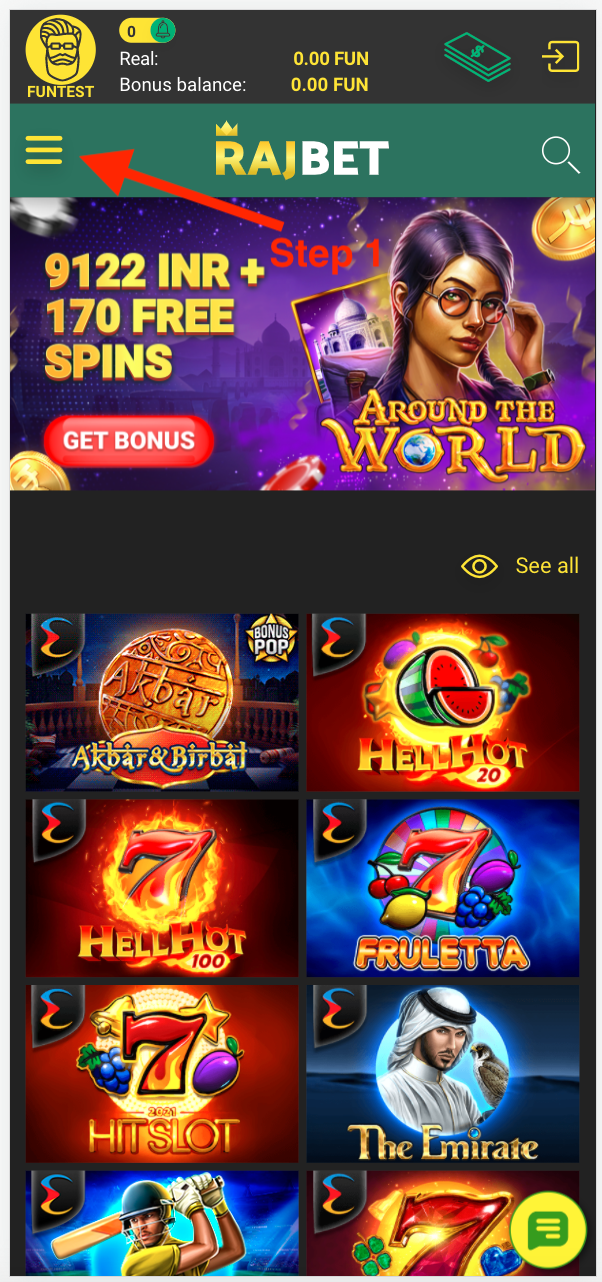
Press Menu in the left upper courner.
Step 2.
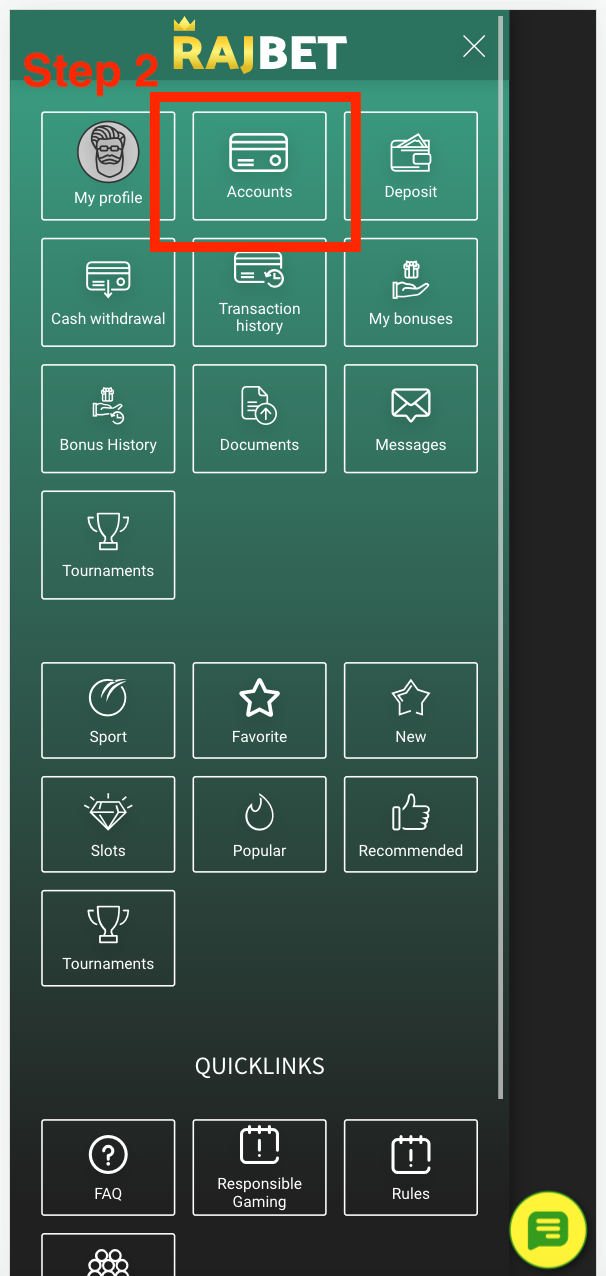
Choose "Accounts" button.
Step 3.
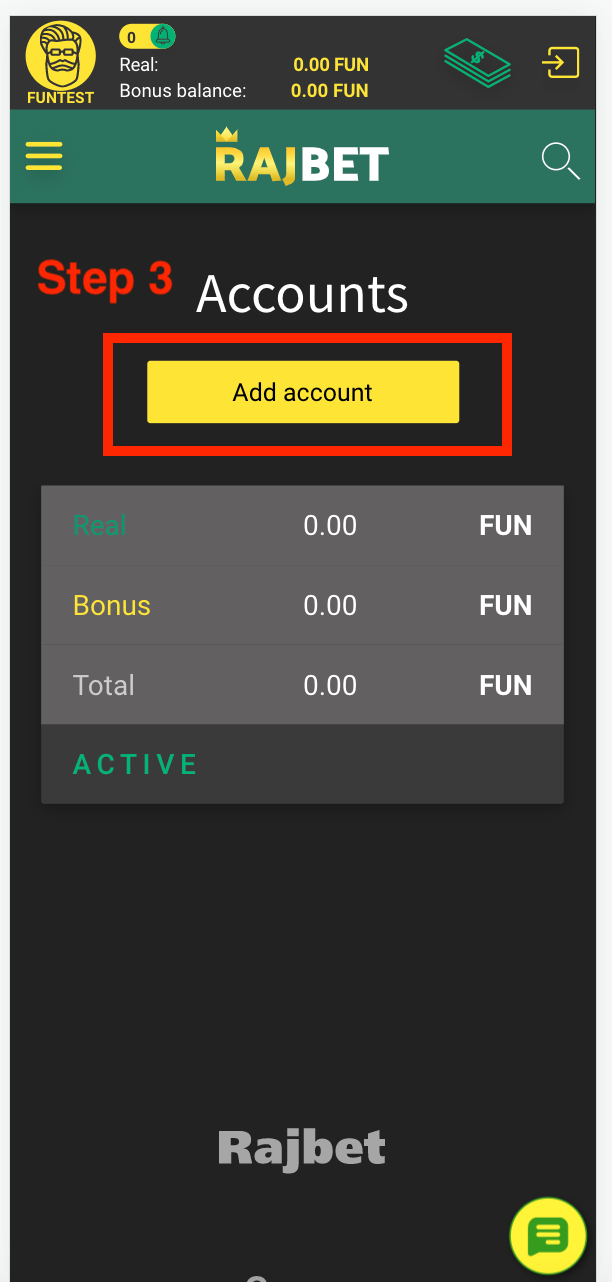
On the new page, please, press "Add account" button.
Step 4.
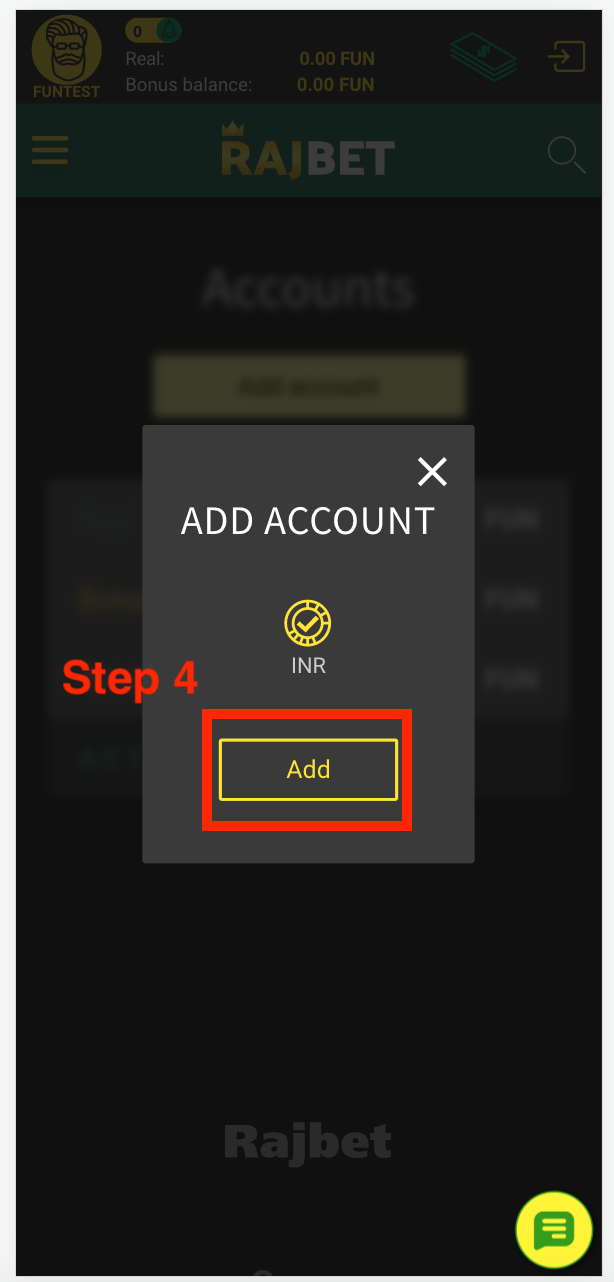
Then press button "Add".
Step 5.
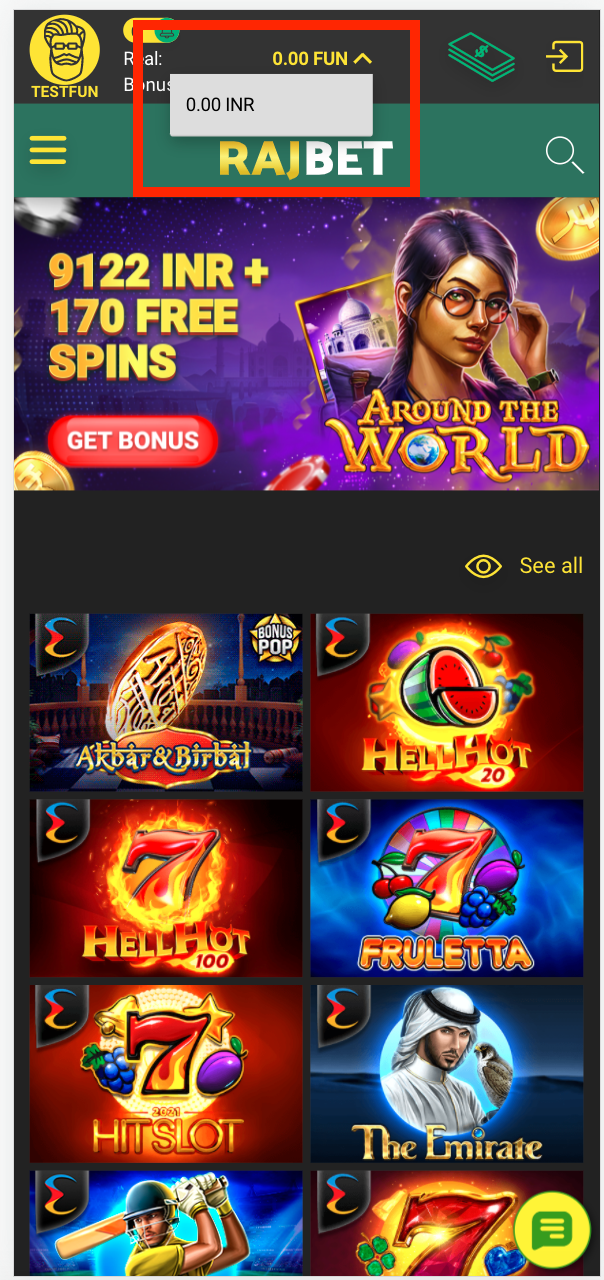
Congratulations! You add account with another currency. Now you can change it every time you need!


